The problem: keeping track after the customer leaves
I built ItemsReady for Savva Tailors, an alterations workshop on Tottenham Court Road. After working on their website, the next request was a way to keep track of customers’ items and let them know when work was ready to collect.
For a shop owner, the questions are practical: what have we taken in, when did we promise it, and is it ready for the customer? ItemsReady puts those details in one job list and prepares the collection text when the work is finished.
Watch the 50-second ItemsReady demo, or follow the same workflow below.
1. Record the alteration at the counter
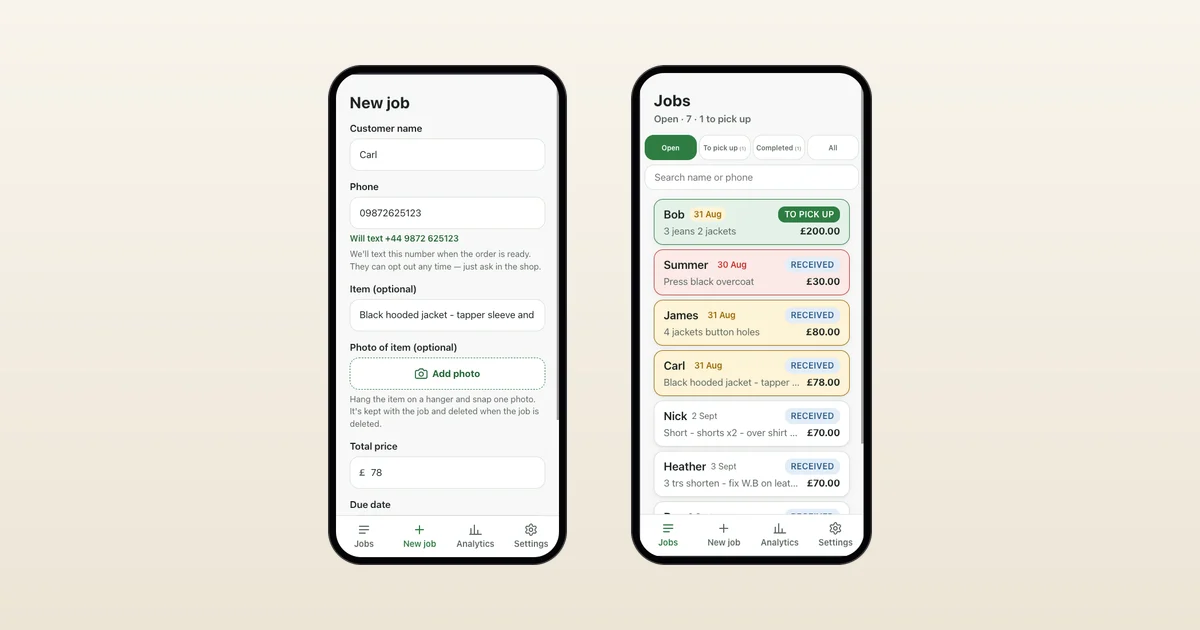
Enter the customer’s name and phone number, the item, price and promised date. You can add a garment photo if it helps identify the job. For example, a trouser alteration gets its own ticket with the date you agreed at the counter.
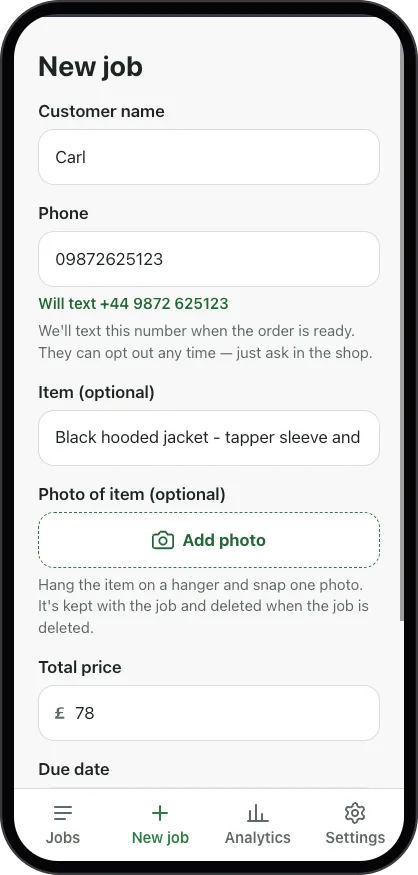
The intake screen keeps the job and customer details together.
2. Check what is due and ready to collect
Open the job list to see received, ready-to-collect and collected items. Promised dates and overdue highlights help you find the work that needs attention. Open a job to check its details.
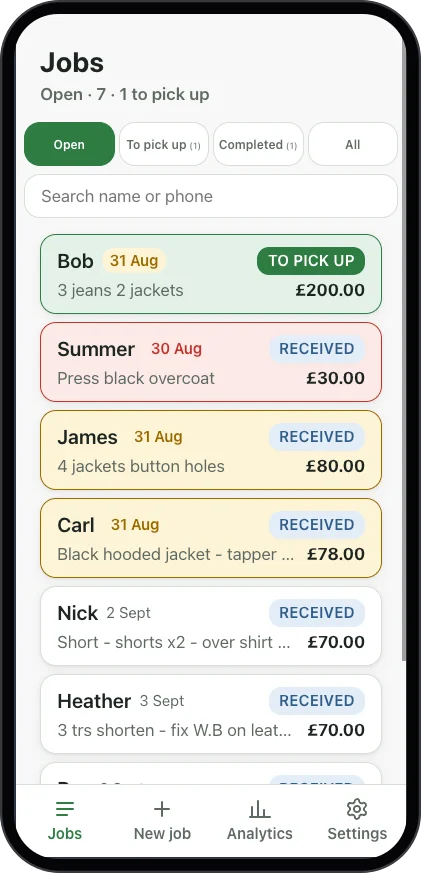
The queue shows each job’s status, so you can check where an alteration stands.
3. Check the collection text and tap send
When the work is ready, ItemsReady opens your phone’s messaging app with a draft containing the customer name, shop and total. You check the text and tap send. It uses your own mobile plan; messages are not sent automatically.
4. Mark the job collected
When the customer picks up the item, mark it collected. Paper tickets can stay part of your process: you can try the job list and collection texts alongside them.
ItemsReady tracks alteration jobs and collections. It does not manage appointments or fitting schedules.
Would this fit your shop?
The product was built around Savva Tailors’ workflow. I am now checking whether it helps other independent shops in their day-to-day work. I do not yet have measured results for time saved, fewer calls or faster collections.
Watch the 50-second demo to see the job list and collection text together. If the workflow looks useful, ask me on WhatsApp and tell me how you currently track jobs. I can walk through an example alteration with you.
Try it with your own jobs
£29/month per shop, no setup fee, with a 14-day free trial. A card is required at signup. Nothing is charged for 14 days, then the subscription continues at £29/month unless cancelled.
I help set up the shop and enter the first job. Collection texts are sent from the shop’s own phone using its mobile plan; an automatic SMS service is not included.
Back to the demo and pricing, or start the 14-day trial. Existing subscribers can manage or cancel in Settings → Billing, or by signing in to the customer portal.